
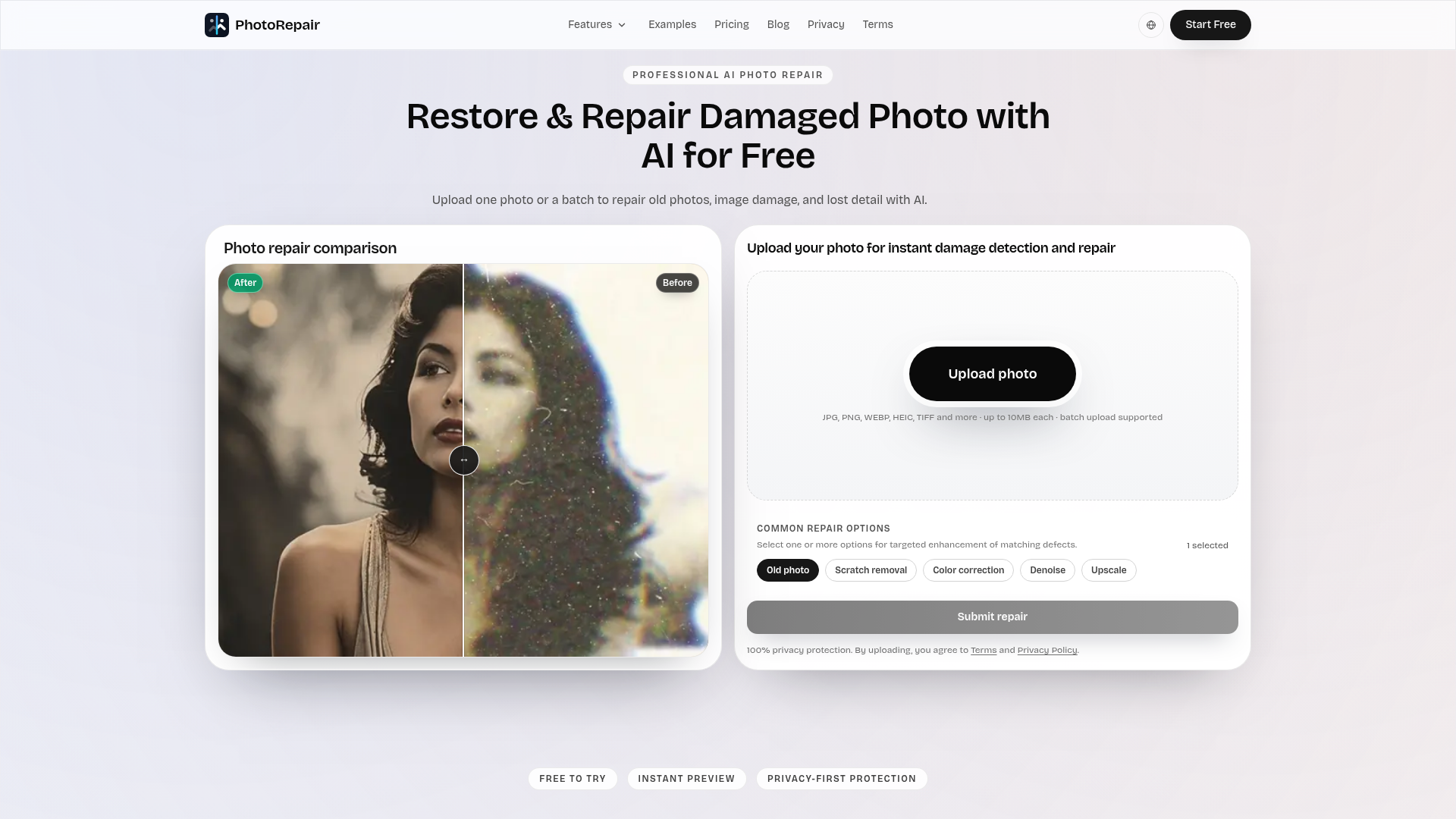
PhotoRepair is a professional AI-powered SaaS platform dedicated to restoring and repairing damaged photos with remarkable accuracy and natural results. It intelligently fixes common image imperfections such as scratches, blur, fading, and low resolution, breathing new life into cherished memories. This tool is ideal for anyone looking to preserve old family photos, enhance blurry captures, or improve the quality of digital images for sharing and printing.
Key Features:
- AI-powered scratch and crease removal with texture preservation.
- Advanced blur recovery and edge reconstruction for sharper images.
- Super-resolution enhancement to add clearer detail and increase image size.
- Specialized portrait restoration for natural facial clarity and texture.
- Intelligent faded color recovery to bring back vibrant tones.
- Supports batch uploads and a wide range of image formats (JPG, PNG, WEBP, HEIC, TIFF, BMP).
Use Cases:
PhotoRepair excels in various scenarios, from digitizing and restoring old family albums to enhancing modern digital photos. Users can effortlessly repair vintage prints marred by creases, scratches, or yellowing, ensuring historical photos retain their authenticity while looking their best. It's also perfect for improving blurry scans or shaky phone photos, making subjects clearer and more defined without artificial over-sharpening. Furthermore, the platform addresses issues of low resolution, allowing users to upscale small images for better print quality or clearer social media sharing. For portraits, it meticulously restores facial details and contours, ensuring subjects look natural and recognizable. The color restoration feature is invaluable for bringing back the original vibrancy to faded photographs, correcting washed-out tones and improving color separation.Pricing Information:
PhotoRepair operates on a freemium model. New users can create an account to access a free trial, which includes instant before/after previews of repairs. For full-resolution downloads, users can purchase credit packs: the Starter Pack offers 100 credits (up to 10 repairs) for $4.90, while the Pro Pack provides 400 credits (up to 40 repairs) for $15.90, offering a lower cost per repair. Each repair consumes 10 credits.User Experience and Support:
The platform boasts a clean, browser-based workflow designed for ease of use. Users simply upload their photo, select the most relevant AI repair mode (e.g., Old Photo Restoration, Blur Fix, Scratch Removal), and then review a realistic before-and-after preview before downloading. This intuitive three-step process ensures a smooth and trustworthy experience. PhotoRepair prioritizes user privacy, with automated cleanup scheduling for all uploaded images within 24 hours. Support is available via email at support@photorepair.app.Technical Details:
PhotoRepair leverages professional AI algorithms for its image processing capabilities, ensuring high-quality restoration. It functions entirely within the browser, eliminating the need for desktop software installations. The service supports a comprehensive range of image formats including JPG, PNG, WEBP, HEIC, HEIF, TIFF, and BMP, catering to diverse user needs.Pros:
- Generates natural-looking, high-quality restored images.
- Offers targeted AI repair modes for specific damage types.
- Browser-based, no software installation required.
- Strong emphasis on user privacy and data security.
- Free trial available for instant preview.
Cons:
- Requires an account for use.
- Very heavily damaged images may still have limitations.
- Credit-based system for full downloads.
Conclusion:
PhotoRepair provides an accessible and powerful AI solution for anyone seeking to restore and enhance their damaged or old photographs. Its focus on natural results, user privacy, and a straightforward workflow makes it an excellent choice for preserving visual memories. Explore PhotoRepair today to transform your old photos into vibrant, clear keepsakes.Comments
Publisher

Launch Date2026-10-05
Platformweb
Pricingfreemium
Tech Stack
#AI#web
Sponsors

DF Tube New (Distraction Free for YouTube™)
Allow yourself to focus while using YouTube™ for work, recreation or education.

ShipThing
Share your product with the world, one small step at a time.
Become a Sponsor
Get your brand featured here
Outbid
View🥇 🥈
🥈 🥉
🥉
Want this spot? Pay what you wantSubmit Your Startup to 100+ Directories | Submitator
Automated startup directory submission service. Get listed on Product Hunt, BetaList, Indie Hackers & 100+ directories for SEO backlinks and DR boost. From $29.
$40
Boost Your Domain Rating — DoFollow Backlinks (DR 30–70) from $30
Raise your Ahrefs Domain Rating with 5 - 50 dofollow backlinks from DR 30–60 sites — from $50, guaranteed to improve your DR or your money back.
$35
DirEasy - The Best Directory Boilerplate with AI | DirEasy
The best directory boilerplate, packed with AI, Listings, Payment, Submission, CMS, Blog, Authentication, Newsletter, SEO and more.
$30