CreateFiles+: The Essential macOS File Creation Utility
CreateFiles+ is a powerful macOS utility designed to significantly enhance and streamline your file creation workflows. It addresses the missing "Create New File" command on Mac, providing a comprehensive suite of tools for quickly generating various file types directly within your working environment.
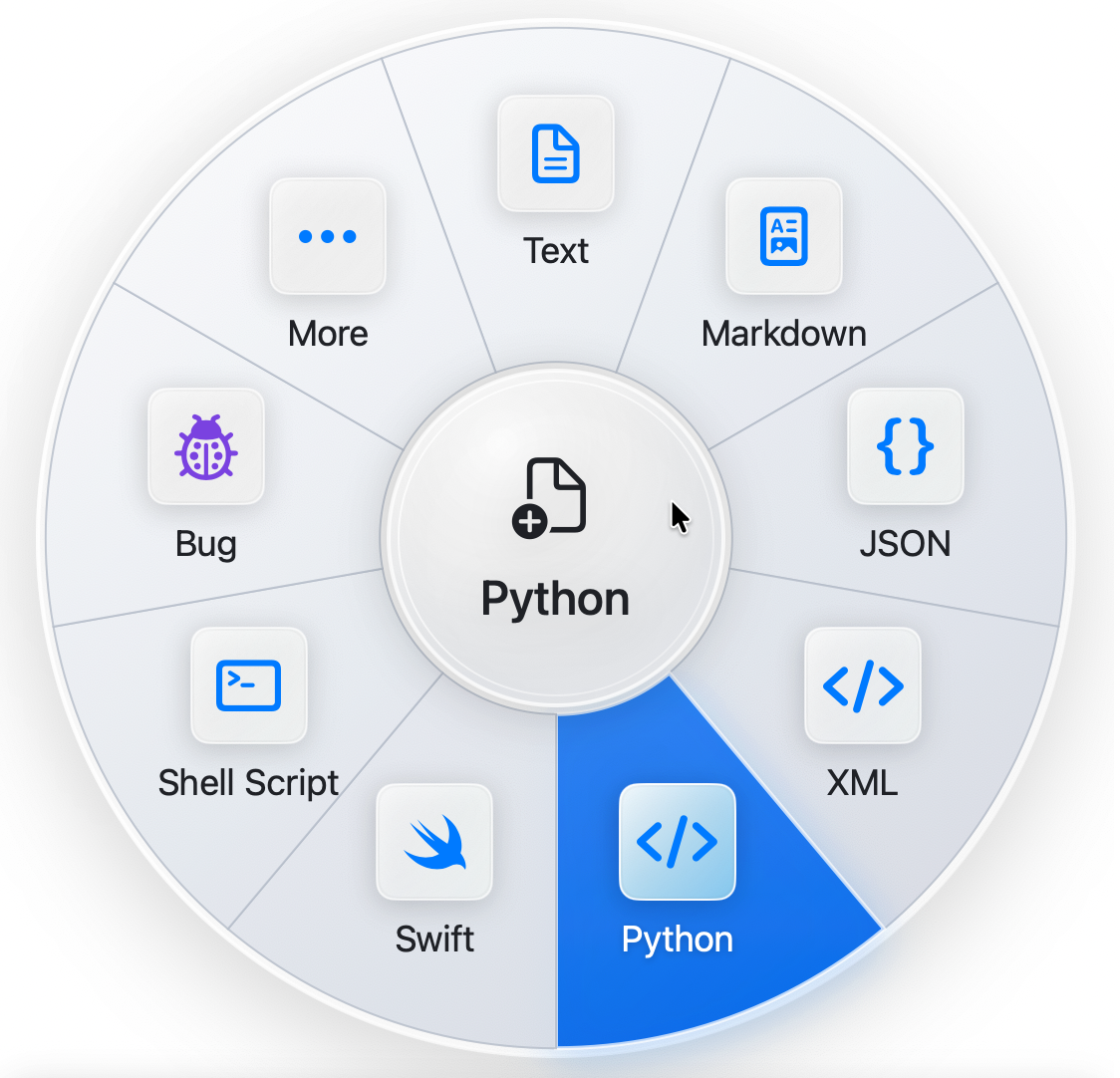
This tool is ideal for developers, writers, designers, students, and any Mac user who frequently needs to create blank text, Markdown, JSON, CSV, HTML, Word, Excel, PowerPoint, code, config, or template-backed files with maximum efficiency.
Key Features
Finder Integration: Create new files directly from the Finder context menu.
Menu Bar Access: Quick access to file creation options from your macOS menu bar.
Keyboard Shortcuts: Accelerate your workflow with customizable keyboard shortcuts for instant file generation.
Quick Create: Rapidly generate common file types with minimal clicks.
Batch Create: Create multiple files at once, saving valuable time.
Custom File Types & Templates: Define and use your own file types and templates for consistent and personalized file creation.
Folder Packs: Automate the creation of entire folder structures with predefined files.
Use Cases
For developers, CreateFiles+ eliminates the tedious process of opening an editor, creating a new file, and saving it in the correct directory. With a simple right-click in Finder or a keyboard shortcut, you can instantly generate a new Python script, JavaScript file, or JSON configuration, ready for coding. This integration into the native macOS environment ensures that your development workflow remains uninterrupted and highly efficient.
Writers and content creators can leverage CreateFiles+ to quickly start new Markdown documents, HTML pages, or plain text files for notes, articles, or web content. The ability to use custom templates means you can pre-fill new files with boilerplate text, headers, or specific formatting, ensuring consistency across your projects. Students and professionals can also benefit from rapidly creating Word, Excel, or PowerPoint files directly where they need them, without navigating through multiple application menus.
Pricing Information
CreateFiles+ is available for direct purchase, offering a one-time license for its comprehensive features. A trial version is available for download, allowing users to experience its benefits before committing to a purchase.
User Experience and Support
The application is designed for seamless integration into macOS, offering intuitive workflows through Finder, the menu bar, and customizable keyboard shortcuts. This native approach ensures a smooth and productive user experience. Comprehensive guides and dedicated support are available to help users get started and maximize their use of CreateFiles+.
Technical Details
As a native macOS application, CreateFiles+ leverages the power and stability of the Apple ecosystem to provide a responsive and integrated user experience. While specific programming languages are not detailed, its deep integration with Finder and system-level functionalities indicates a robust and well-engineered solution for Mac users.
Pros and Cons
Pros:
Significantly boosts productivity for Mac users.
Deep integration with macOS Finder and system features.
Supports a wide array of file types and custom templates.
Multiple efficient creation methods (Quick Create, Batch Create, Folder Packs).
Customizable keyboard shortcuts for power users.
Cons:
Exclusively available for macOS, limiting cross-platform use.
Advanced features like Folder Packs might require a slight learning curve.
No explicit mention of cloud synchronization for templates (though local templates are supported).
Conclusion
CreateFiles+ is an indispensable utility for any macOS user seeking to enhance their productivity by simplifying and accelerating the file creation process. Its rich feature set, native integration, and customizable options make it a powerful addition to your Mac toolkit. Download the trial today to experience the efficiency and convenience it brings to your daily workflow.
Comments
Publisher

Launch Date2026-07-27
Platformdesktop
Pricingpaid
Tech Stack
#swift
Sponsors

DF Tube New (Distraction Free for YouTube™)
Allow yourself to focus while using YouTube™ for work, recreation or education.

ShipThing
Share your product with the world, one small step at a time.
Become a Sponsor
Get your brand featured here
Outbid
View🥇 🥈
🥈 🥉
🥉
Want this spot? Pay what you wantBoost Your Domain Rating — DoFollow Backlinks (DR 30–70) from $30
Raise your Ahrefs Domain Rating with 5 - 50 dofollow backlinks from DR 30–60 sites — from $50, guaranteed to improve your DR or your money back.
$45
DirEasy - The Best Directory Boilerplate with AI | DirEasy
The best directory boilerplate, packed with AI, Listings, Payment, Submission, CMS, Blog, Authentication, Newsletter, SEO and more.
$41
Submit Your Startup to 100+ Directories | Submitator
Automated startup directory submission service. Get listed on Product Hunt, BetaList, Indie Hackers & 100+ directories for SEO backlinks and DR boost. From $29.
$40