Sliptree Review - Professional Invoice Generator for Small Businesses and Freelancers
Sliptree: Invoicing That Gets Out of Your Way
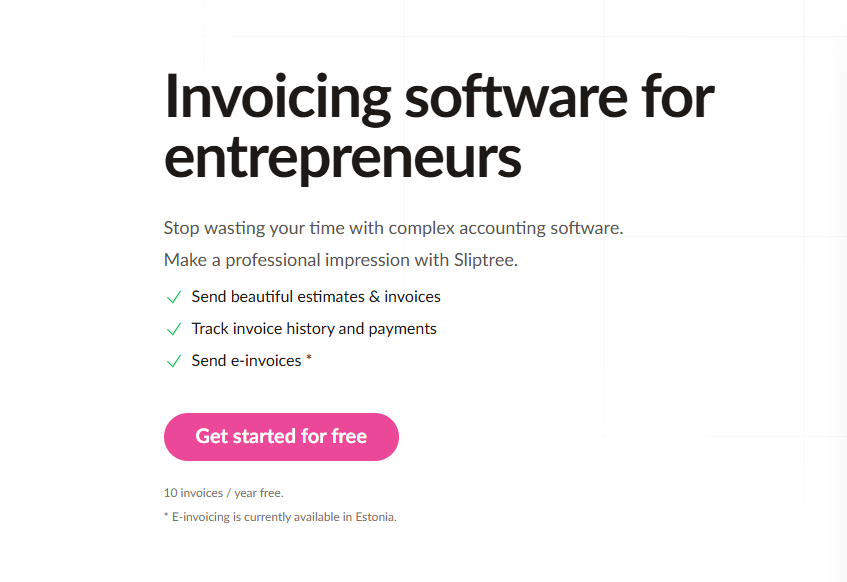
Most invoicing software makes a fundamental mistake: it treats billing as an accounting problem rather than a communication problem. You get expense categories, tax classifications, profit-and-loss reports, and a 47-field form that takes 15 minutes to fill out—when all you wanted was to send a professional invoice and get paid.
Sliptree inverts this. It's built for the moment when you're mid-project, need to bill a client, and have zero patience for accounting software paradigms. Open the visual editor, type your details, watch a professional PDF materialize in real time as you type, and send it. That's the entire philosophy.
The Visual Editor: What You See Is What They Get
Sliptree's most distinctive feature is its WYSIWYG invoice editor. You're not filling form fields that generate a PDF behind the scenes. You're literally building the visual artifact, seeing exactly what your client will see, positioned precisely, fonts rendered perfectly. Every keystroke updates the live preview.
This eliminates the uncertainty of traditional invoice generators—the "fill fields, click generate, hope the formatting worked" anxiety. You know the invoice looks professional before you send it.
Template System: Pre-designed layouts optimized for readability and payment conversion. No blank-canvas paralysis. Customize brand colors, logo placement, and field positioning through drag-and-drop rather than settings menus.
Custom Fields: Add business-specific line items. Consultants add "Project Phase." Developers add "Development Hours." Designers add "Revision Round." The fields adapt to your workflow.
Multi-Currency Without the Complexity
For freelancers with international clients, Sliptree removes currency friction. 50+ supported currencies with automatic formatting (symbols, decimal separators, regional conventions). Language templates translate invoice headers and payment terms automatically. Tax ID handling adapts to regional requirements based on selected currency.
A developer working with clients in Europe, Australia, and the US previously spent 15 minutes per invoice translating terms and converting prices. Sliptree eliminated that entirely.
Status Tracking That Answers the Only Question That Matters
Has the client paid? Sliptree answers this definitively, plus the intermediate states:
- Sent confirmation: You know the moment delivery occurs
- View tracking: See when the client opened the PDF—eliminates "did they see this?" anxiety
- Payment status: Mark paid, overdue, or partial
- Late fee automation: Set per-customer rules (flat rate or percentage). Late fees apply automatically when payments pass due dates. The psychological effect is often more valuable than the fee revenue.
Complete Document Lifecycle
Sliptree handles the full progression from proposal to payment:
- Estimate-to-invoice conversion: Issue an estimate, convert to invoice when approved—no re-entering details
- Credit note generation: Over-billed? Create a credit note automatically
- Document duplication: Clone previous invoices as templates for recurring clients. Update line items, adjust totals, send. Saves 10 minutes per invoice.
- Change tracking: Revision history logged and visible when invoices change
Pricing
- Free trial: 14 days, no credit card required. After trial: limited to 10 invoices/year on free plan.
- Annual subscription: Pay once, invoice unlimited times. No per-invoice fees. No user limits.
If you issue more than 10 invoices per year, the subscription pays for itself in time saved. At an average of 3 minutes per invoice versus 8-10 minutes with manual templates, a freelancer issuing 20 invoices monthly saves 100+ minutes.
Who Sliptree Is For
Freelancers (developers, designers, writers, consultants) who need speed and professionalism without accounting complexity. Agencies with retainer clients who benefit from template duplication and change tracking. Solopreneurs who don't need full accounting software but do need professional billing. International workers serving clients across currencies and languages.
What Sliptree Isn't
Sliptree is invoicing software, not accounting software. It doesn't track expenses, manage payroll, or generate tax reports. It doesn't integrate with payment gateways for direct payment acceptance. For freelancers whose needs stop at "create professional invoice → send → track → get paid," this narrowness is a feature.
The Verdict
Sliptree succeeds by understanding that most freelancers and small businesses need invoicing, not accounting. The visual editor eliminates formatting guesswork. Multi-currency support removes international friction. Status tracking replaces "did they pay?" anxiety. The 14-day free trial genuinely removes risk.
Rating: 4.5/5
Ready to simplify your billing process?
👉 Start Your Free Trial — 14 days, no credit card required.
Tags
# Review# Sliptree# Invoice generator# Invoice generator with logo# Create invoice free# Invoicing software# Business invoicing software# Invoice software for small business# Invoicing for small business# Best business invoicing software# Free invoicing software# Small business invoicing# Freelancer invoicing# Professional invoice generator# Branded invoices# Multi-currency invoicing# Invoice tracking# Late fee management# Visual invoice editor# Estimate to invoice workflow# Credit note management# Document duplication# Change tracking# Invoice status tracking# Simple pricing invoicing# 14-day free trial# No credit card required# Freelancer billing software# Small business billingStrideFuel Review - AI-Powered Personal Health Coach That Tracks Everything
DirEasy Review - The Ultimate Directory Boilerplate for 2025
Follow for new blogs
Subscribe to our blog
Subscribe to Newsletter
Subscribe to our newsletter to get the best products weekly.